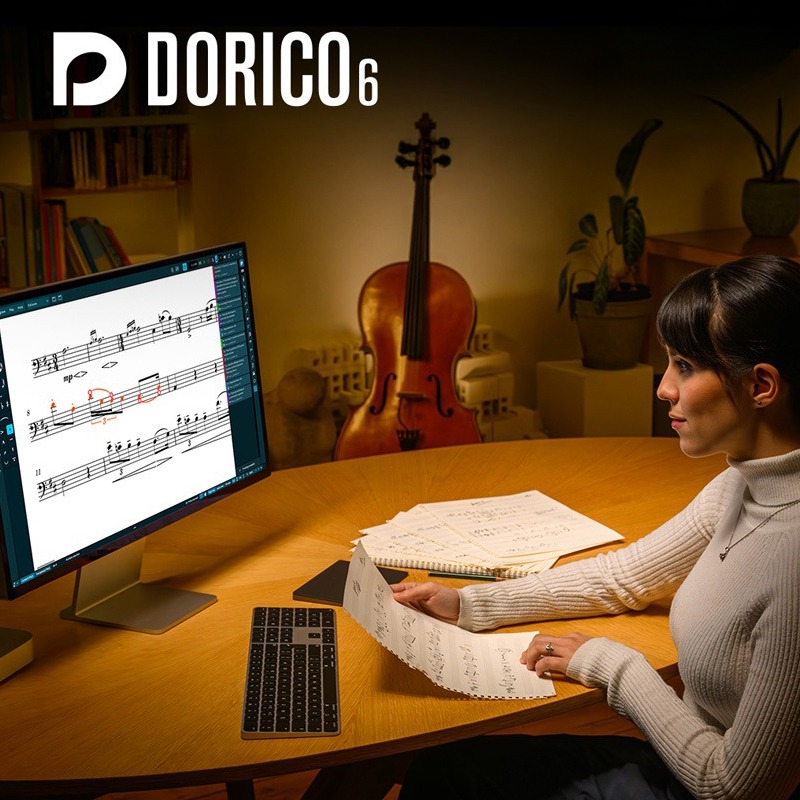
Dorico Pro 6 Education|Professional AI Smart Music Notation Software (Educational Version)
Next-Generation Score Editor for Composers, Arrangers, and Educators
Steinberg Dorico Pro 6 Education is a professional-grade music notation software, equipped with an advanced AI intelligent layout engine, designed to meet the demanding needs of composers, arrangers, publishers, and educators. It not only provides unparalleled score engraving quality but also integrates powerful arranging tools and high-quality VST3 virtual instrument sounds, streamlining your music creation process from inspiration to final publication. This is an educational discount version, and academic qualification proof is required for activation after purchase.
Compared to traditional score editing software that requires extensive manual adjustments, Dorico Pro 6, with its powerful AI intelligent layout engine, automatically handles complex score layouts, part configurations, and symbol collision avoidance, significantly saving your time and allowing you to focus more on the music itself. Whether it's an orchestral score, film score, choral score, or guitar tablature, Dorico Pro 6 provides the smoothest and most efficient arranging software experience.
Quick Facts Product Overview
-
Brand:Steinberg
-
Model:Dorico Pro 6 Education
-
Software Type:Professional Music Notation and Arranging Software
-
Core Technology: AI Intelligent Layout and Engraving Engine
-
License Type: Educational License (academic qualification proof required)
-
Applicable Scenarios:Orchestral Arranging, Film Scoring, Educational Material Production, Choral Score Production, Academic Research
Dorico Pro 6 Core Technologies and Features
-
AI Intelligent Layout Engine: Equipped with advanced artificial intelligence, it automatically handles note spacing, stem direction, symbol collision avoidance, and page layout, producing beautiful scores comparable to professional publishing quality, without manual fine-tuning.
-
Multiple Flows in a Single Project: A single project file can contain an unlimited number of independent pieces or movements (Flows), facilitating the management of large works such as symphonies, operas, or sonatas.
-
Automated Part and Full Score Production: Generate individual parts for all instruments from the full score with one click. Any modifications to the full score are automatically synchronized to the parts, and vice versa, ensuring version consistency.
-
Integrated MIDI Editor: Built-in Piano Roll, Velocity, and MIDI controller editing interfaces allow precise adjustment of score playback details, just like in a DAW, without switching software.
-
Professional DTP Page Layout: Provides desktop publishing-grade page design tools, allowing free definition of master pages, text styles, and graphic frames, giving complete control over the final appearance of the score.
-
Flexible Note Input: Supports rapid note input using a computer keyboard, mouse, or MIDI keyboard, and offers highly customizable shortcuts to significantly improve input efficiency.
-
VST3 Virtual Instrument Support: Equipped with the same world-class audio engine as Cubase and Nuendo, it fully supports VST3 virtual instruments and effects, allowing you to use industry-leading sound libraries to play back your scores.
-
Linked Guitar Tablature: Can display both standard staff notation and guitar tablature simultaneously, with full linkage between the two. Editing one automatically updates the other, supporting instruments with any number of strings.
-
Intelligent Playback Assistant: Dorico automatically interprets performance markings such as staccato, slurs, ornaments, etc., and plays them back in a highly musical way, making score auditions more realistic.
-
One-Click Condensed Score Generation: Intelligently merges multiple wind instrument parts onto a single staff, automatically handling voice crossing and rests, generating a condensed score for conductors with a single click.
Dorico 6 New Feature Highlights
-
Real-time Proofreading Panel: A dedicated proofreading panel has been added. Dorico monitors and highlights potential notation errors in real-time as you edit, providing correction suggestions.
-
One-Click Cutaway Generation: Quickly generates localized enlarged or cutaway versions of scores, useful for educational material production or highlighting specific parts, without complex manual editing.
-
Custom Chord Symbols: Supports power chords, multi-line chord indications, extension lines, etc., providing richer tools to create fully customized chord symbols to meet modern musical style requirements.
-
Cycle Playback: Define loop playback sections anywhere in the score, allowing you to edit while listening to the loop. Changes take effect immediately on the next cycle.
-
Precise Control over System Items: For elements such as tempo markings, repeat signs, rehearsal marks, and large time signatures, you now have complete control over their display position in each layout.
-
Basic Marching Percussion Sounds: In collaboration with Virtual Drumline developer Tapspace, basic marching percussion sounds such as snare drums, tenor drums, bass drums, and cymbals have been added.
Included Sounds and Effects
-
HALion Symphonic Orchestra: Includes Steinberg's high-quality orchestral sound library, providing rich symphonic instrument sounds to make your score playback come alive.
-
Iconica Sketch Sound Library: Provides a core orchestral sound source with 34 instruments and 140 clear articulations, allowing composers to quickly jot down musical ideas and hear high-quality auditions.
-
Groove Agent SE: Built-in powerful drum sound plugin, offering a variety of drum kits and percussion instruments to add dynamic rhythm to your compositions.
-
Over 30 VST Effects: Includes high-quality effects such as Equalizer (EQ), Compressor, Reverb, Delay, etc., allowing for detailed processing of score audio through the built-in mixer.
Technical Specifications (Tech Specs)
| Software Type | Professional Music Notation and Arranging Software |
| Version | Pro 6 |
| License Type | Educational, academic qualification proof required for verification after purchase |
| Supported Operating Systems (Mac) | macOS Mojave, Catalina, Big Sur, Monterey, Ventura, Sonoma |
| Supported Operating Systems (Windows) | Windows 10 (64-bit, Version 22H2 or higher), Windows 11 (64-bit, Version 22H2 or higher) |
| Processor (CPU) | 64-bit Intel or AMD multi-core processor (Intel i5 or higher recommended) |
| Memory (RAM) | Minimum 8 GB (16 GB or more recommended) |
| Hard Drive Space | 12 GB available hard drive space |
| Supported Plugin Formats | VST3 (32-bit plugins not supported) |
| Activation Method | Steinberg Licensing (online activation, no USB eLicenser required) |
Steinberg Dorico Pro FAQ
THINK2 Warranty & Support
Software Purchase Information
- Guarantee: This product comes with an official license key, ensuring successful activation and registration.
- Delivery: The serial number and download information will be sent via email; no physical shipment is required.
- Support: We provide basic technical assistance for installation and activation. In case of activation issues, we will help coordinate with the manufacturer for resolution.
- Warranty: License and download rights are maintained according to the manufacturer’s policy; software updates, upgrades, and version changes are subject to the manufacturer’s announcements.
- Customer Service: For questions regarding license, compatibility, or installation, please contact THINK2 customer support for immediate assistance.
Reminder: Please confirm compatibility with your operating system, DAW, and plugin formats before purchasing. Digital products are not eligible for a standard trial/return period; if you need to modify your order before activation, please contact customer service first.
THINK2 — Authorized Audio Gear Dealer in Taiwan
202604102138