SpectraLayers Pro 12 - Education Version|AI-Driven Next-Generation Spectral Audio Editing and Restoration Software
Industry-Leading AI Spectral Audio Separation and Restoration Tool
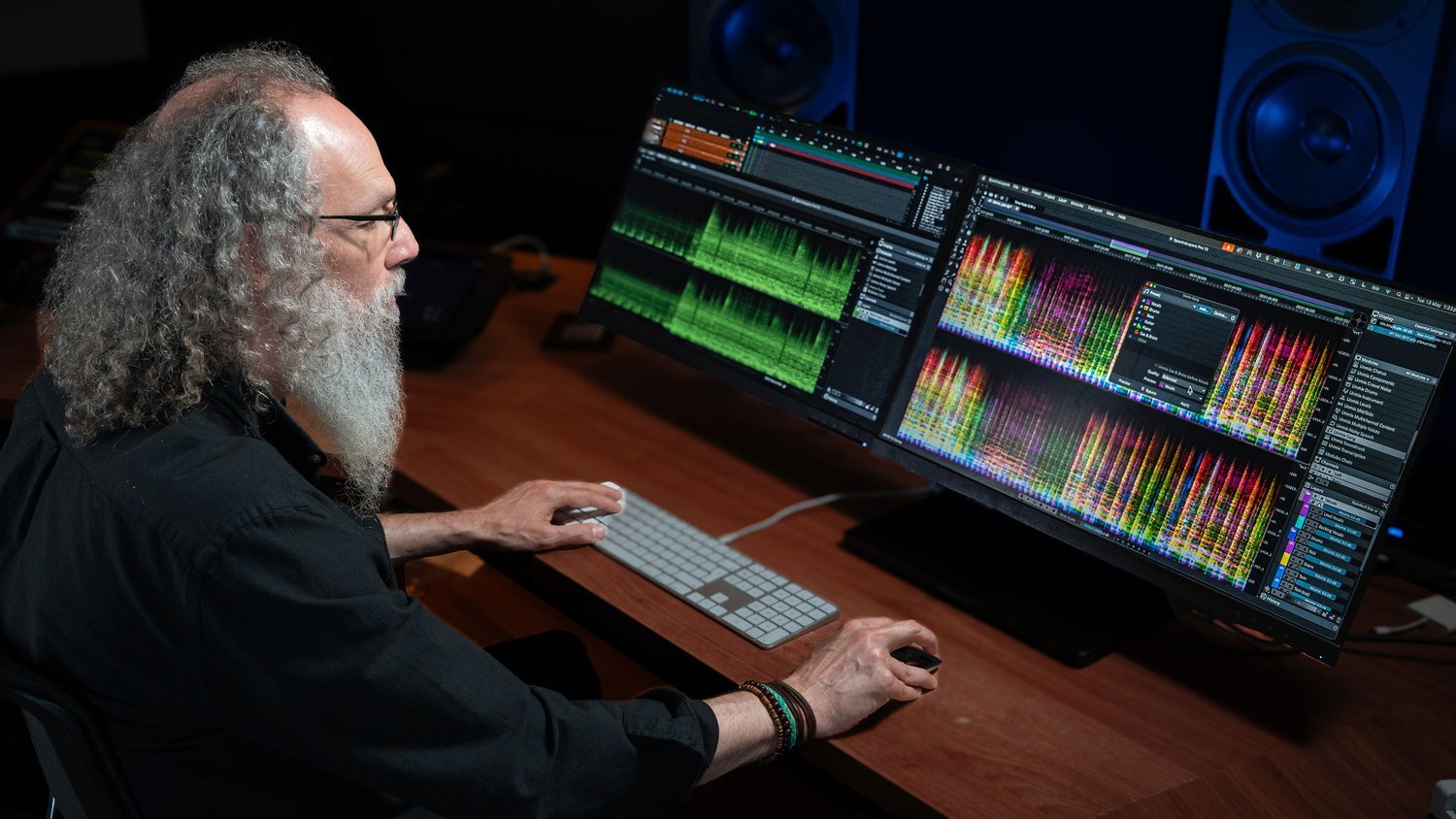
SpectraLayers Pro 12 Education is a professional spectral audio editing software from Steinberg, utilizing advanced AI-driven algorithms to separate audio into up to seven independent instrument layers. This powerful tool provides professionals and students in music production, post-production, audio restoration, and other fields with unprecedented sound editing capabilities. Through visual spectrograms, you can precisely process sound like editing an image, achieving intricate operations impossible with traditional waveform editors. Whether for AI audio separation, vocal removal, noise reduction, or creative sound design, SpectraLayers Pro 12 is your ultimate solution.
Compared to traditional noise reduction plugins or waveform editors, SpectraLayers Pro 12 achieves pixel-level precise control over audio frequencies and the timeline through its visual spectral editing interface. Its core Unmix function not only separates instruments but also performs fine restoration for vocal processing and dialogue, such as removing plosives or enhancing speech clarity, making it an indispensable tool for high-quality audio restoration.
Quick Facts Product Overview
-
Brand:Steinberg
-
Model:SpectraLayers Pro 12 Education Version
-
Core Function:AI-Driven Instrument/Vocal Separation (Unmixing)
-
Software Type: Audio Restoration & Spectral Editing
-
Plugin Formats: AAX, VST3
-
Use Cases:Music Production Track Separation, Film/TV Post-Production Dialogue Restoration, Podcast Noise Reduction, Audio Forensics, Creative Sound Design
Steinberg SpectraLayers Pro 12 Core Technologies and Features
-
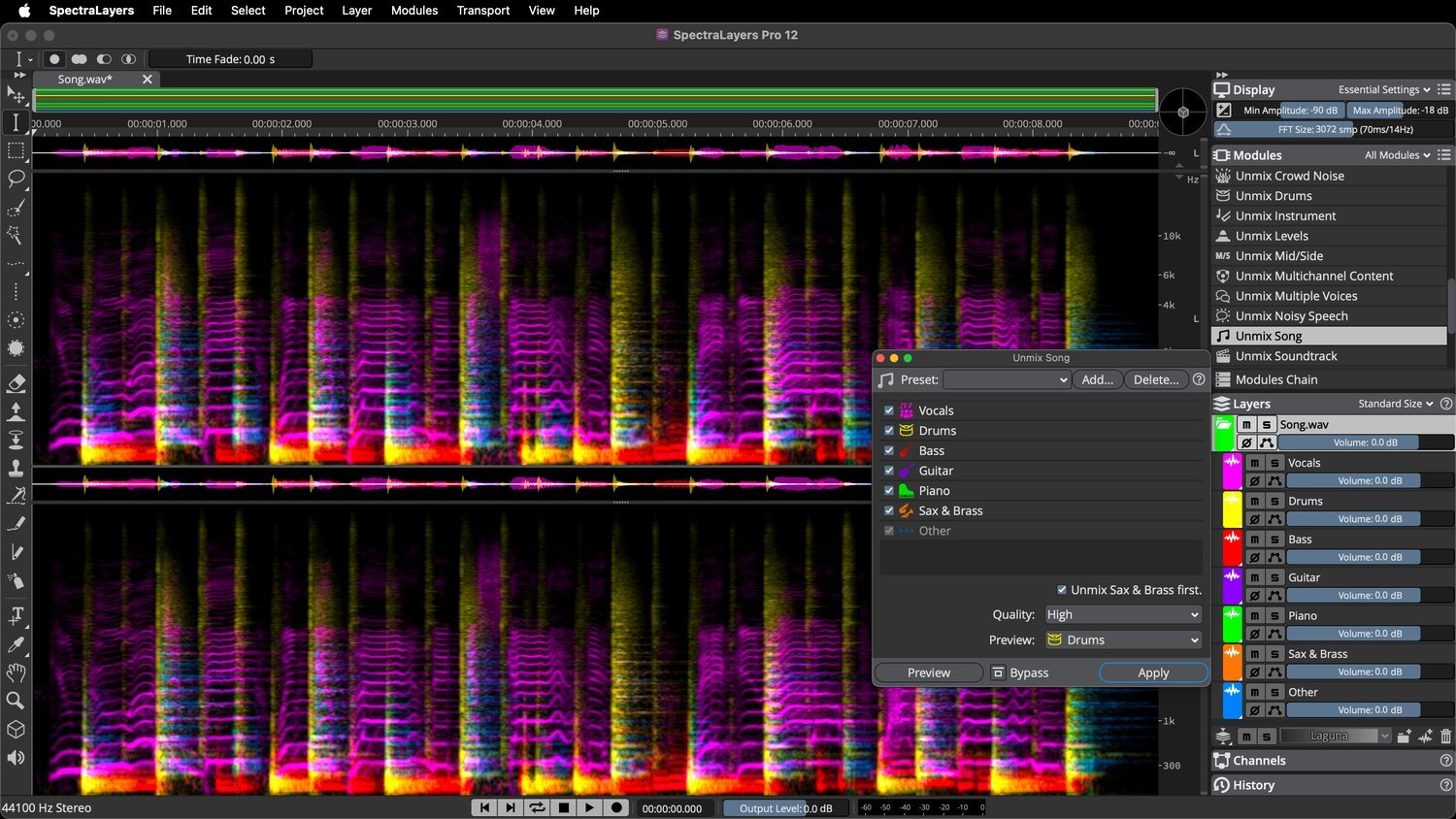
AI-Driven Unmix Modules:Newly upgraded AI algorithms, providing clearer, more phase-accurate audio separation. It can separate full songs into multiple independent layers such as instruments, drums, vocals, and now includes new Soundtrack and Instrument modules for separating film/TV sound effects and specific instruments.
-
Professional Voice Processing Suite: New AI-driven Voice Enhance and DePlosive modules, combined with enhanced Voice DeNoise and UnMix Transcript, create the industry's most comprehensive voice restoration solution.
-
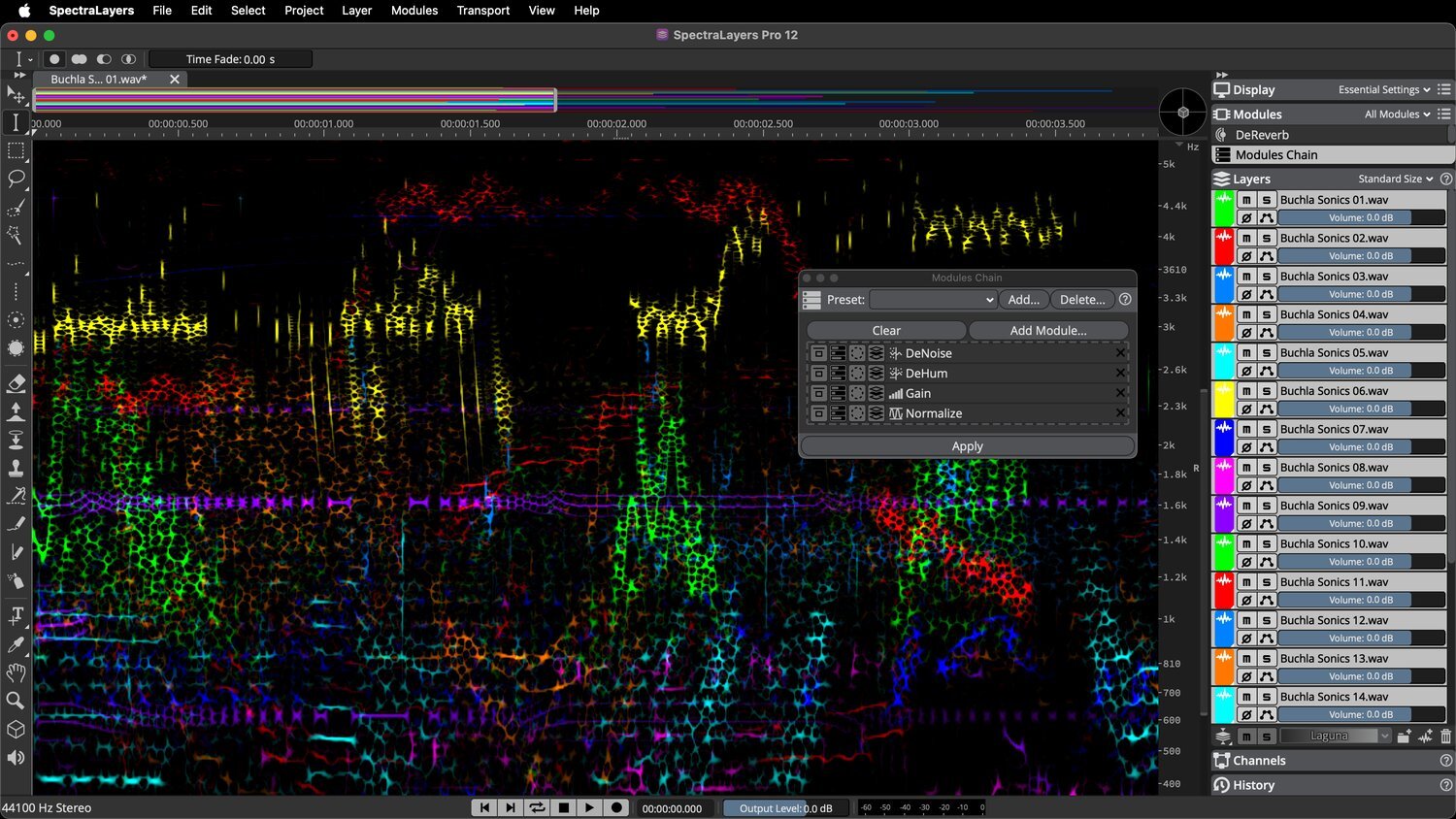
Advanced Workflow: Supports Batch Processing, allowing multiple files to be processed and exported simultaneously. The new Modules Chain feature allows users to customize processing workflows and save presets, significantly improving efficiency for repetitive tasks.
-
Precise Selection and Editing Tools: Enhanced frequency, harmonic, and transient selection tools allow you to target audio more precisely. The selection editing feature allows direct resizing of selections on the spectrogram for more intuitive operation.
- -
Multi-layer Editing and VST3 Support: Allows simultaneous editing of multiple audio layers and viewing multiple plugin interfaces within the enhanced VST3 effects module, enabling complex sound design and processing.
-
ARA Integration and DAW Workflow: In ARA-supported DAWs (such as Cubase/Nuendo), ARA clips can be grouped by track, and multiple layers can be directly dragged into the arrangement window for seamless integration.
-
Practical Additional Features: New Phase Rotation module to correct asymmetric waveforms, Time-Reverse module, and a Signal Generator module integrating tone, noise, silence, and transient generators.
SpectraLayers 12 Version Feature Comparison
SpectraLayers 12 Version Feature Comparison
| Function / Feature | SpectraLayers Elements 12 | SpectraLayers Pro 12 |
| AI Unmix Vocals (Vocal Separation) | ✓ | ✓ |
| AI Unmix Drums, Bass, etc. (Instrument Separation) | — | ✓ |
| AI Unmix Song (Full Song Separation) | — | ✓ |
| AI Voice DeNoise, DePlosive (Voice Noise Reduction/Plosive Removal) | — | ✓ |
| AI Reverb Reduction (Reverb Suppression) | ✓ | ✓ |
| Advanced Spectral Editing Tools (Eraser, Pencil, etc.) | — | ✓ |
| EQ, Reverb, Ambience Match (Matching Function) | — | ✓ |
| Batch Processing (Batch Processing) | — | ✓ |
| VST3 Plugin Support | — | ✓ |
| ARA 2 Integration | ✓ | ✓ |
New AI Audio Separation Modules (Unmix Modules)
-
Unmix Song: Equipped with upgraded AI algorithms, it can separate stereo mixes into independent instrument layers, including vocals, drums, bass, piano, guitar, and more.
-
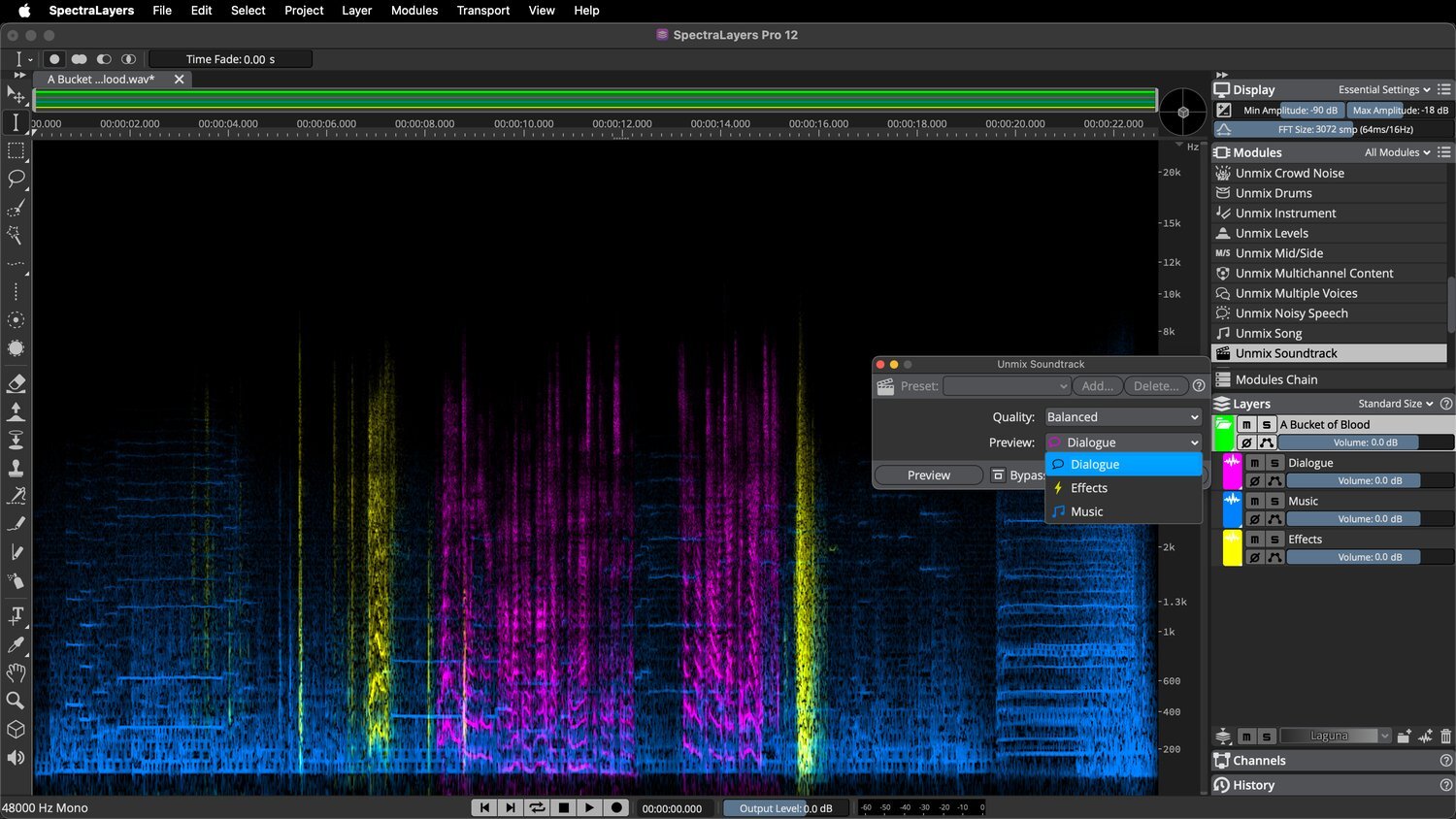
Unmix Soundtrack: Designed for film and TV post-production, it can separate audio tracks into Dialogue, Effects, and Music layers.
-
Unmix Instrument: Allows users to manually mark specific instruments, and AI will automatically learn and separate that instrument's track.
-
Enhanced Modules: The Drums and Noisy Speech modules have undergone algorithmic upgrades, providing cleaner separation results.
Professional Vocal Processing and Voice Enhancement (Voice Processing Modules)
-
Voice Enhance: A new AI module that reconstructs poor-quality voice recordings, improving clarity and naturalness, suitable for restoring low-quality interviews or live recordings.
-
DePlosive: A new AI module that intelligently identifies and eliminates plosives (e.g., 'p', 'b' sounds) in recordings while maintaining the naturalness of the voice.
-
Voice DeNoise (Enhanced): Upgraded noise reduction algorithms more effectively remove background noise while maximizing the preservation of vocal details.
-
UnMix Transcript (Enhanced): Designed for separating speech from background audio, the new version offers better separation, suitable for extracting clear dialogue from noisy environments.
Advanced Workflow and Automation (Workflow Enhancements)
-
Modules Chain: Allows multiple processing steps to be chained together into a custom sequence, saved as a preset, and applied to similar audio files with one click.
-
Batch Processing: A powerful batch processing window that can apply processing chains to multiple files simultaneously and automatically export them to a specified folder.
-
Volume Envelope Automation: Allows applying volume envelopes to layers and channels, visualizing them in the waveform display, and even rendering volume envelopes directly into the audio.
-
Multi-layer Editing: Supports simultaneous editing operations on multiple layers, significantly improving efficiency for complex projects.
Technical Specifications (Tech Specs)
| Software Type | Film/TV Post-Production & Audio Restoration |
| Platform | Mac, PC |
| Version Type | Education Version Full Features (Full Version, Academic) |
| Licensing Method | Electronic Download (Download) |
| Bit Depth | 64-bit |
| Plugin Formats | AAX, VST3 (Standalone Application & ARA2) |
| Mac System Requirements | macOS 12 (Monterey) or later |
| PC System Requirements | Windows 10 (64-bit) or later |
Steinberg SpectraLayers Pro FAQ
THINK2 Warranty & Support
Software Purchase Information
- Guarantee: This product comes with an official license key, ensuring successful activation and registration.
- Delivery: The serial number and download information will be sent via email; no physical shipment is required.
- Support: We provide basic technical assistance for installation and activation. In case of activation issues, we will help coordinate with the manufacturer for resolution.
- Warranty: License and download rights are maintained according to the manufacturer’s policy; software updates, upgrades, and version changes are subject to the manufacturer’s announcements.
- Customer Service: For questions regarding license, compatibility, or installation, please contact THINK2 customer support for immediate assistance.
Reminder: Please confirm compatibility with your operating system, DAW, and plugin formats before purchasing. Digital products are not eligible for a standard trial/return period; if you need to modify your order before activation, please contact customer service first.
THINK2 — Authorized Audio Gear Dealer in Taiwan
202604092305