WaveLab Elements 13 Mastering Software - Education Edition | Professional Mastering and Audio Restoration Software (Education Version)
Intuitive Mastering Workstation Designed for Content Creators and Musicians
WaveLab Elements 13 is Steinberg's entry-level mastering software designed for students and educators, offering an audio engine with up to 64-bit floating-point precision and over 20 built-in VST effects. This software integrates comprehensive features for audio mastering, podcast editing, audio restoration, and multi-format file output, making it a crucial tool for enhancing the professional quality of your work.
Compared to mastering with complex effect chains in traditional DAWs, WaveLab Elements 13 provides a dedicated editing workspace and visual analysis tools, making audio restoration, podcast production, and the final mastering process more precise and efficient. Whether for music production, podcast editing, or vlog audio post-production, it delivers fast, high-quality results.
Steinberg WaveLab Elements 13 Core Technologies and Features
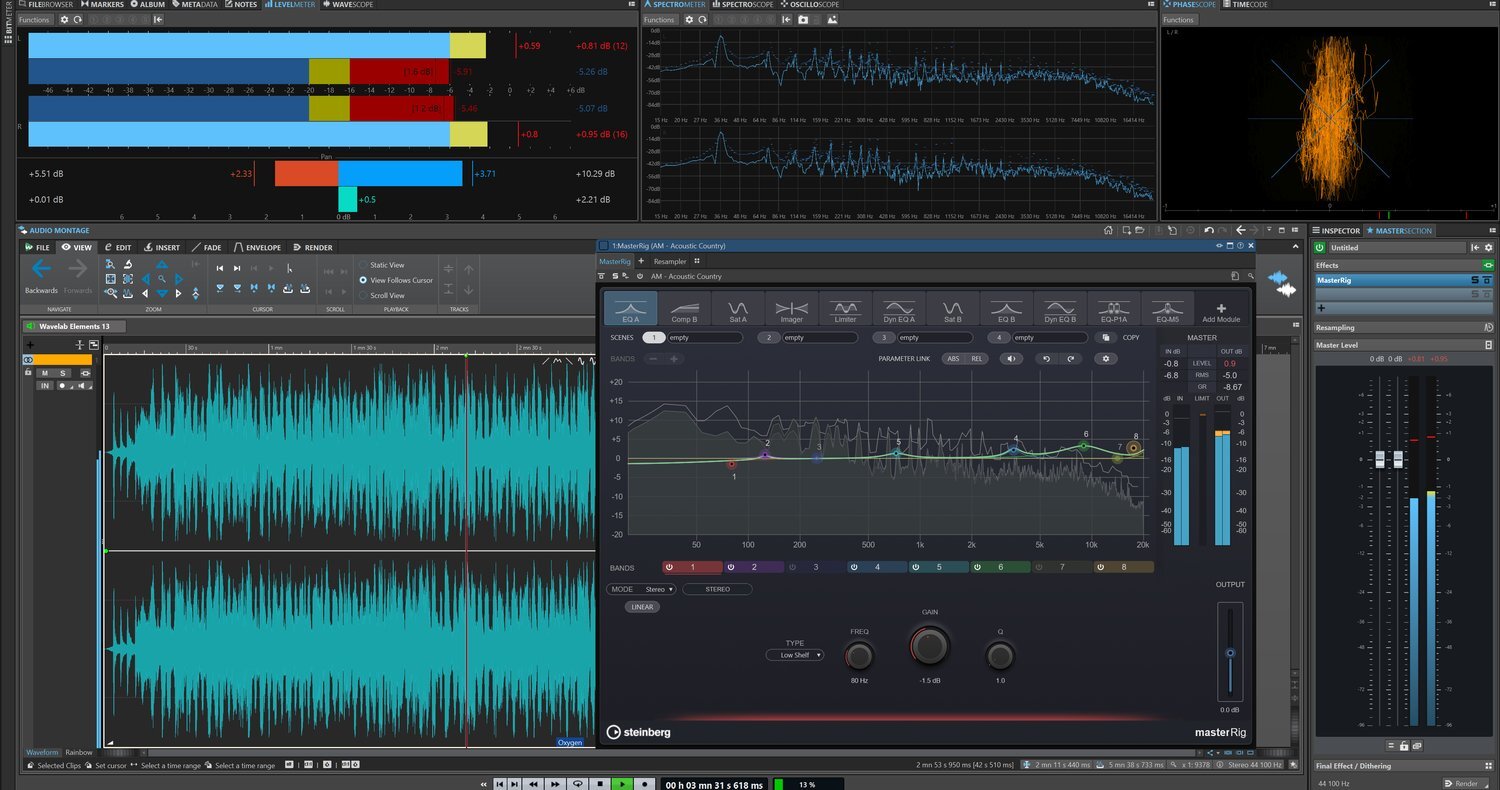
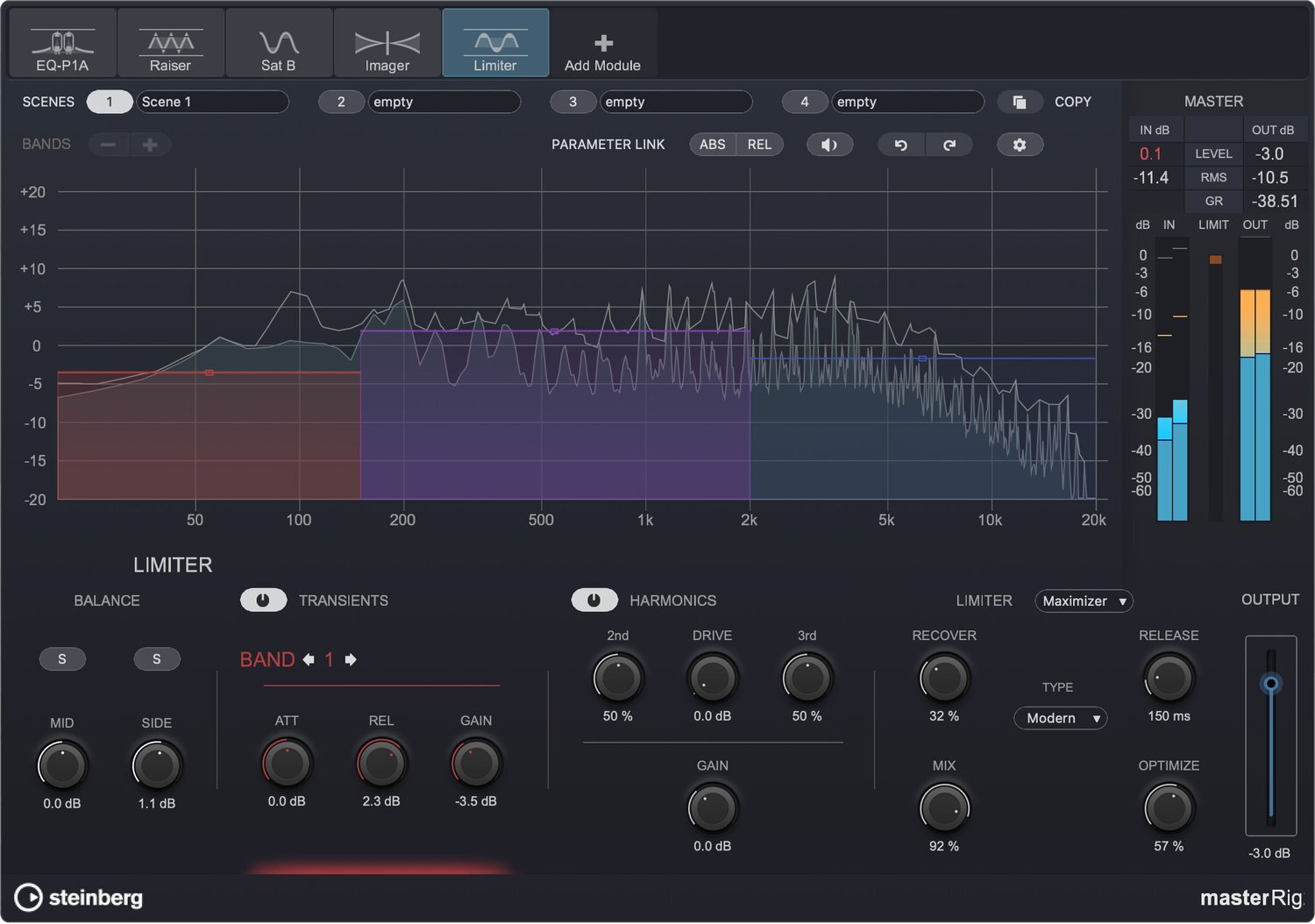
- Next-Generation MasterRig 2 Effects Suite: The newly upgraded MasterRig 2 features significant enhancements in both functionality and graphical interface, offering a comprehensive set of mastering-grade tools including EQ, compressor, limiter, saturator, and imager.
- Dynamic Clip Toolbar: Provides instant access to clip-related menus, significantly reducing clicks and speeding up your editing workflow.
- Intuitive Effect Management: Easily remove any effect from the audio chain with simple drag-and-drop gestures, making the workflow smoother. li>Quick Gain Adjustment: Easily adjust pre-gain or post-gain for clips using convenient pop-up sliders.
- Enhanced Color Management: Apply random colors to all audio tracks for better visual identification and easier project management.
- Integrated Audio Editor: Features a powerful built-in audio editing workspace, providing core editing tools such as zooming, time stretching, pitch shifting, and phase inversion.
- High-Precision Audio Engine: Supports bit depths up to 64-bit floating-point processing, offering an extremely wide dynamic range and effectively preventing audio clipping distortion.
- Multi-Channel Support: Full support for editing and processing 5.1 surround sound multi-channel interleaved audio files.
- Professional Audio Restoration: Built-in RestoreRig audio restoration module allows for easy cleanup of noise, hum, plosives, and other imperfections in recordings.
- Cross-Application Operation: Any audio selection from WaveLab (with or without effects) can be directly dragged and dropped into any other supported application.
- Precise Visual Monitoring: Provides various visual feedback tools such as Spectroscope, Level Meter, and Oscilloscope, along with multi-color waveform display, allowing you to accurately monitor audio status.
- Multi-Format File Output: Supports rendering to over 15 different file formats, including high-quality WAV and common MP3 formats.
- Built-in ASIO Driver: Automatically accesses Windows audio I/O and performs automatic sample rate conversion, ensuring hardware compatibility.
Built-in Core Effects and Tool Suite
Tech Specs
Steinberg WaveLab Elements FAQ
THINK2 Warranty & Support
THINK2 — Authorized Audio Gear Dealer in Taiwan